Government operations / Client project
Make leave requests easy to submit, review, and track.
A role-based employee leave system that connects quota history, leave submission, two-level approval, reporting, and official leave documents in one workflow.
- Project
- e-Cuti
- My role
- Designer and full-stack developer
- Scope
- Employee leave submission, quota and history, supervisor verification, final approval, reports, and official documents
- Built with
- PHP 8.2, MySQL, Tailwind CSS, Vanilla JavaScript
- Period
- 2026 · repository activity
- Project status
- Delivered to client
Engineering focus
Apply leave rules on the server
Shared calculations handle eligibility, working days, and quota context so submission and approval use the same business rules.
Keep approval responsibilities distinct
Scoped supervisor verification and final approval make the current decision owner visible, with role and CSRF checks on approval actions.
Produce the document from the decision
The approved request drives the official leave letter, connecting the recorded decision with its administrative output.
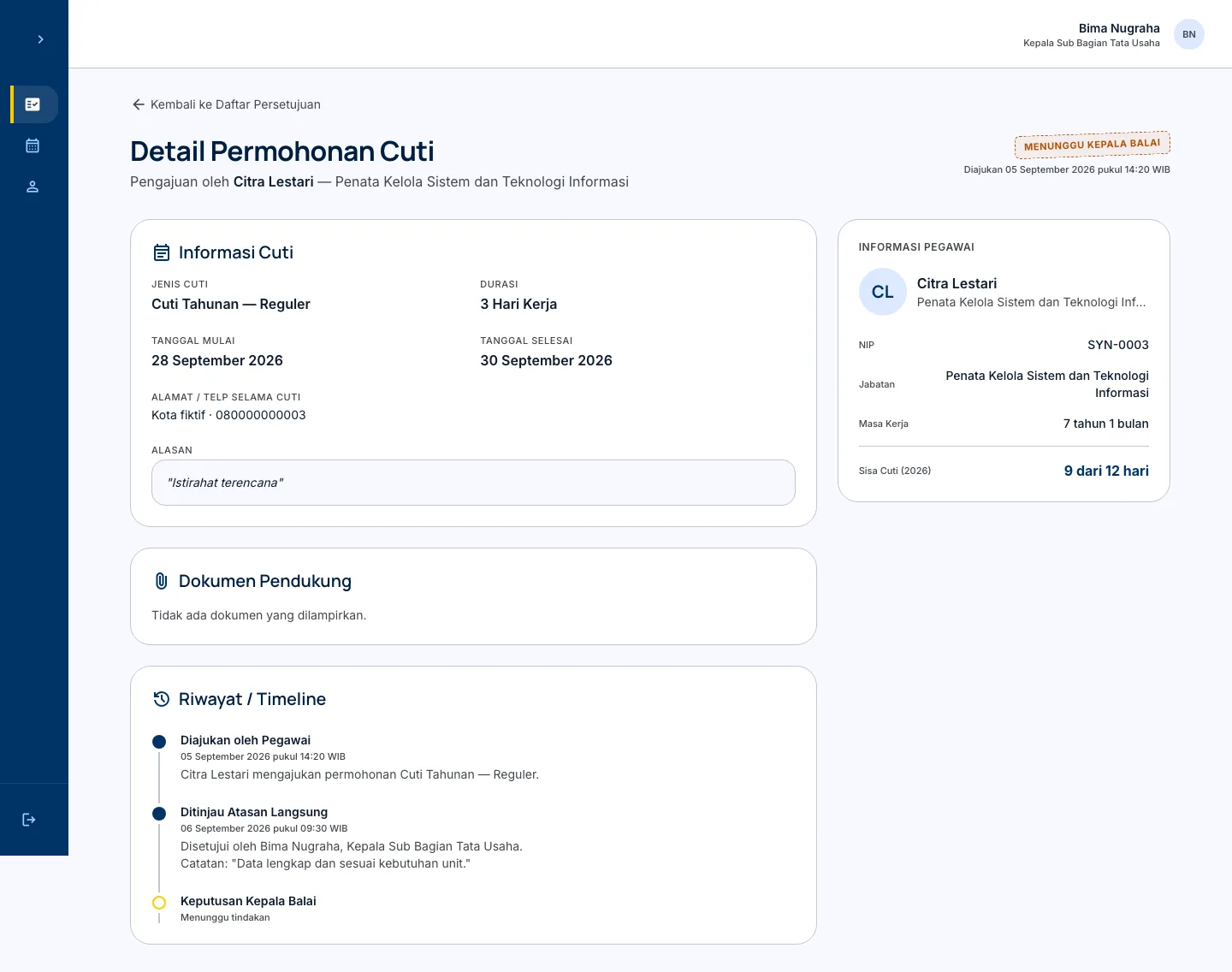
Client project for BPPMT Pekanbaru. The case study uses the working local PHP application with a disposable database seeded only with fictional employees, requests, dates, and approval notes; no production database or personal records were imported.
I designed and built the application; the available repository begins with an August 2026 import of that source and runs to the September 2026 handover. Repository documentation records deployment and handover to BPPMT Pekanbaru in September 2026. The portfolio shows an isolated local workflow with synthetic records; current production availability was not independently verified.
Make the leave process visible from both sides
Leave administration has two different jobs to support. An employee needs to understand what is available, submit the right information, and see what happens next. An approver needs a focused queue, enough context to make a decision, and a record of the decision after it is made.
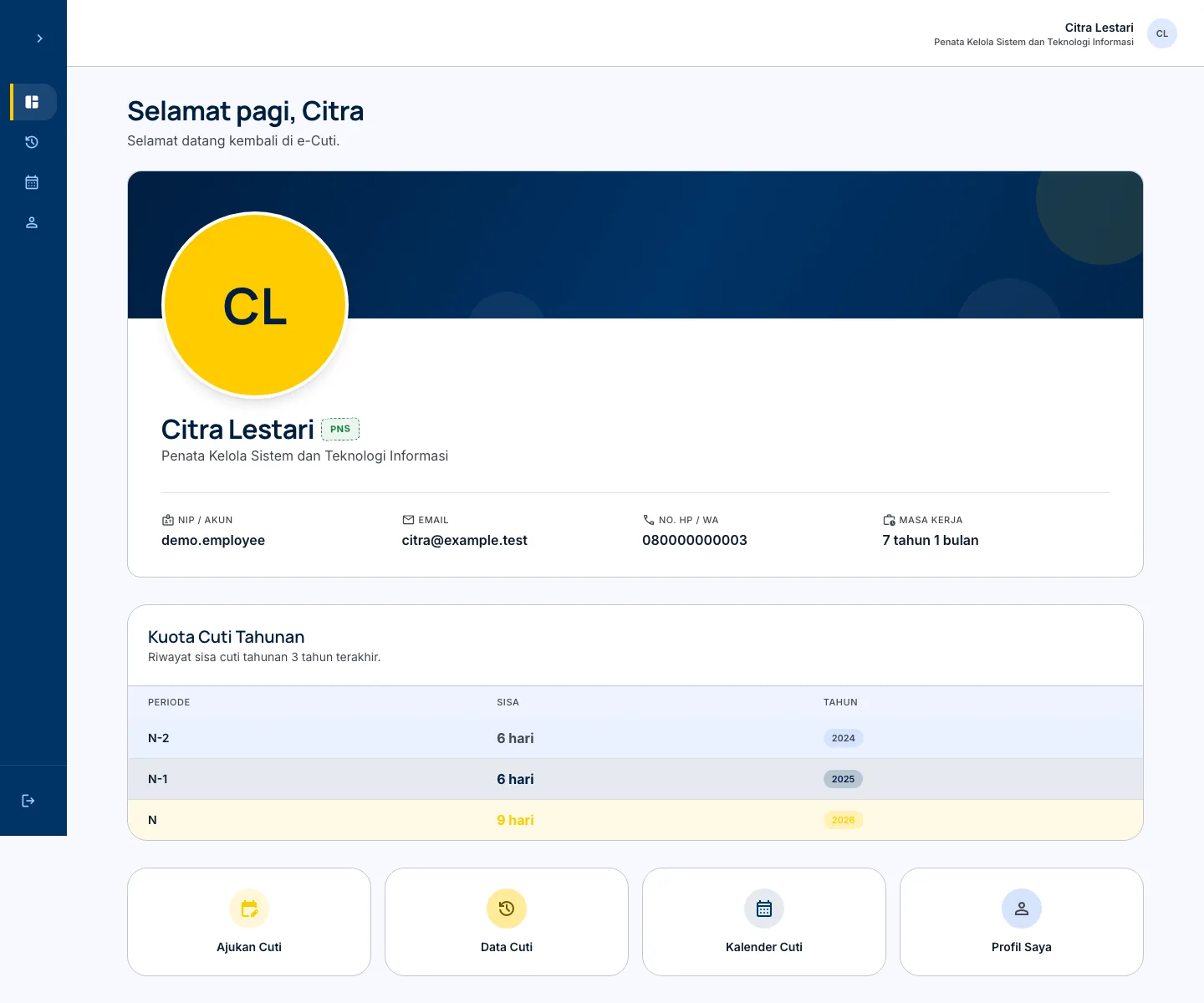
I designed and built e-Cuti for BPPMT Pekanbaru to bring those jobs into one role-based workflow. The employee starts with their quota history, submits a request, and follows its status. The request then moves through supervisor verification and Kepala Balai approval before the system produces the official leave letter.
Put the rule beside the request
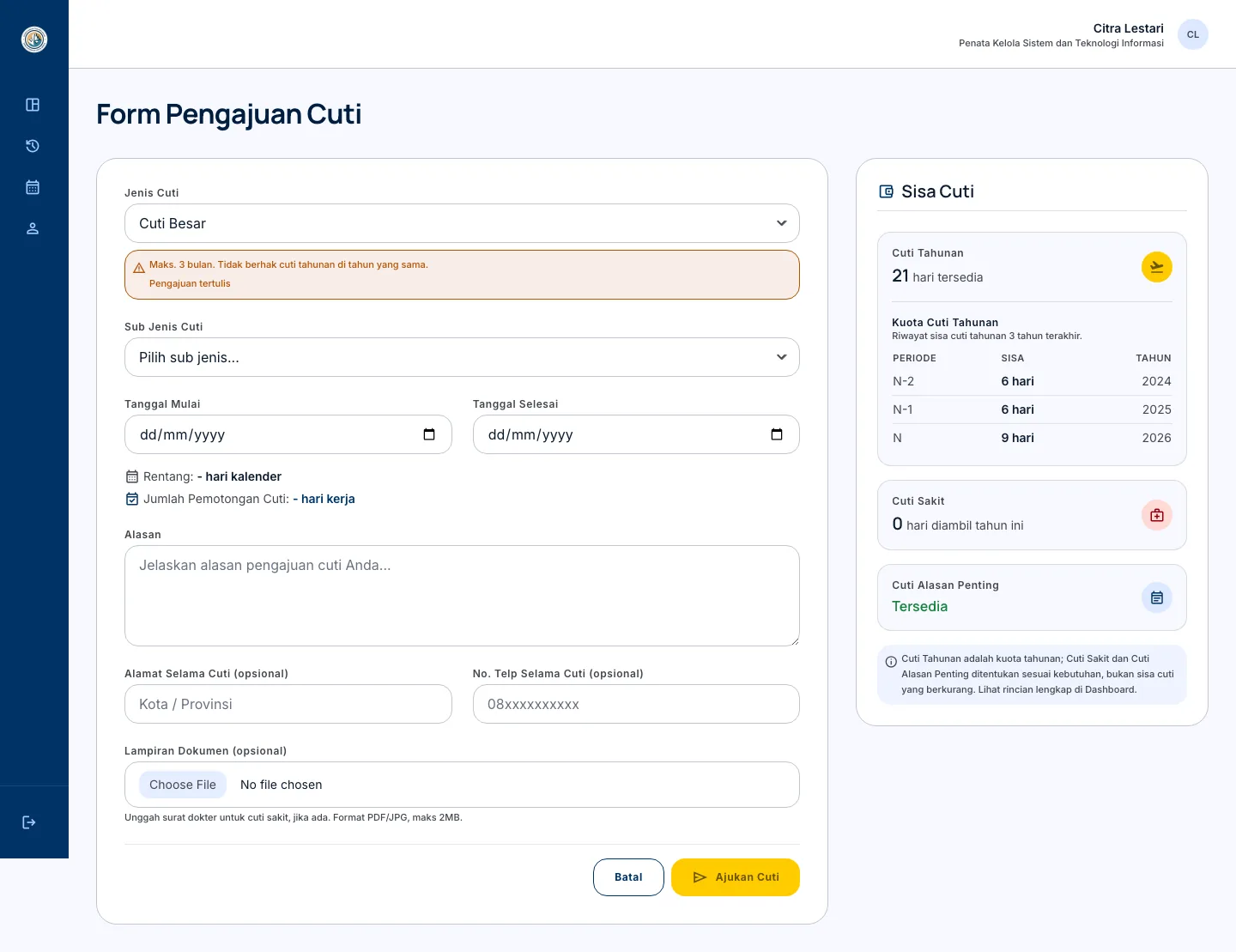
The submission screen keeps the selected leave type, sub-type rules, available annual quota, date range, working-day count, reason, and supporting document in the same frame. That gives the employee useful context before they send a request and makes the form do more than collect a date and a free-text reason.
The application is a flat PHP 8.2 codebase with a MySQL data model, shared role guards, reusable leave and approval logic, Tailwind CSS, and small presentational JavaScript. Quota calculations, eligibility, advance-notice rules, and working-day counts are handled on the server so the approval chain receives the same rules the form explained.
Give approvers a clear decision trail
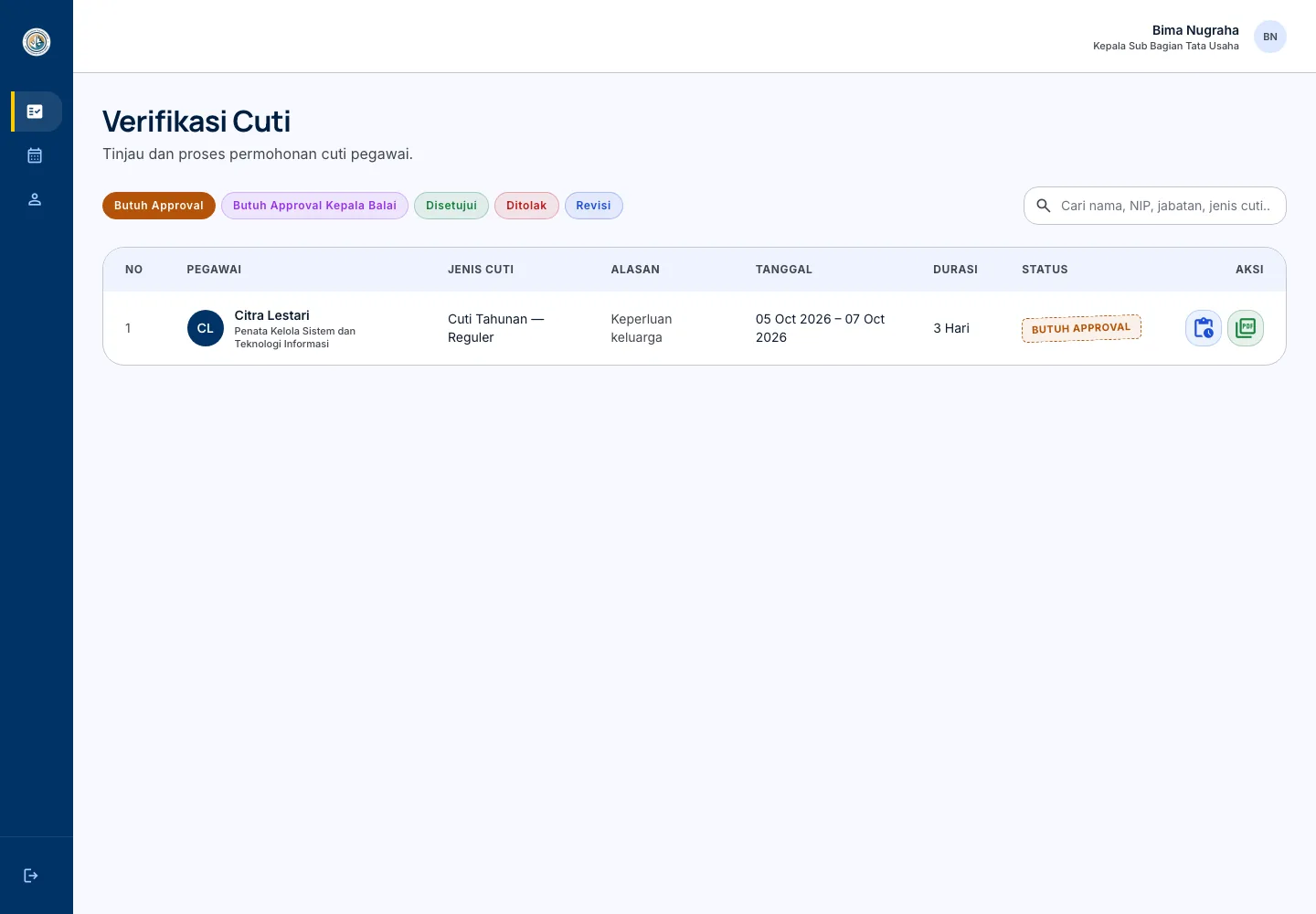
The verification queue is scoped to the signed-in approver. A drill-in view then keeps the leave details, employee context, quota, supporting-document state, and approval timeline together. The second approval step is explicit rather than hidden behind a generic “done” status, which makes it easier to see where a request is waiting.
Approval actions combine session and role guards with CSRF checks, while shared server-side leave logic handles the business rules. This is the relevant engineering contribution for a similar internal tool: connect the right decision-maker to the right request and apply the same rules throughout the process.
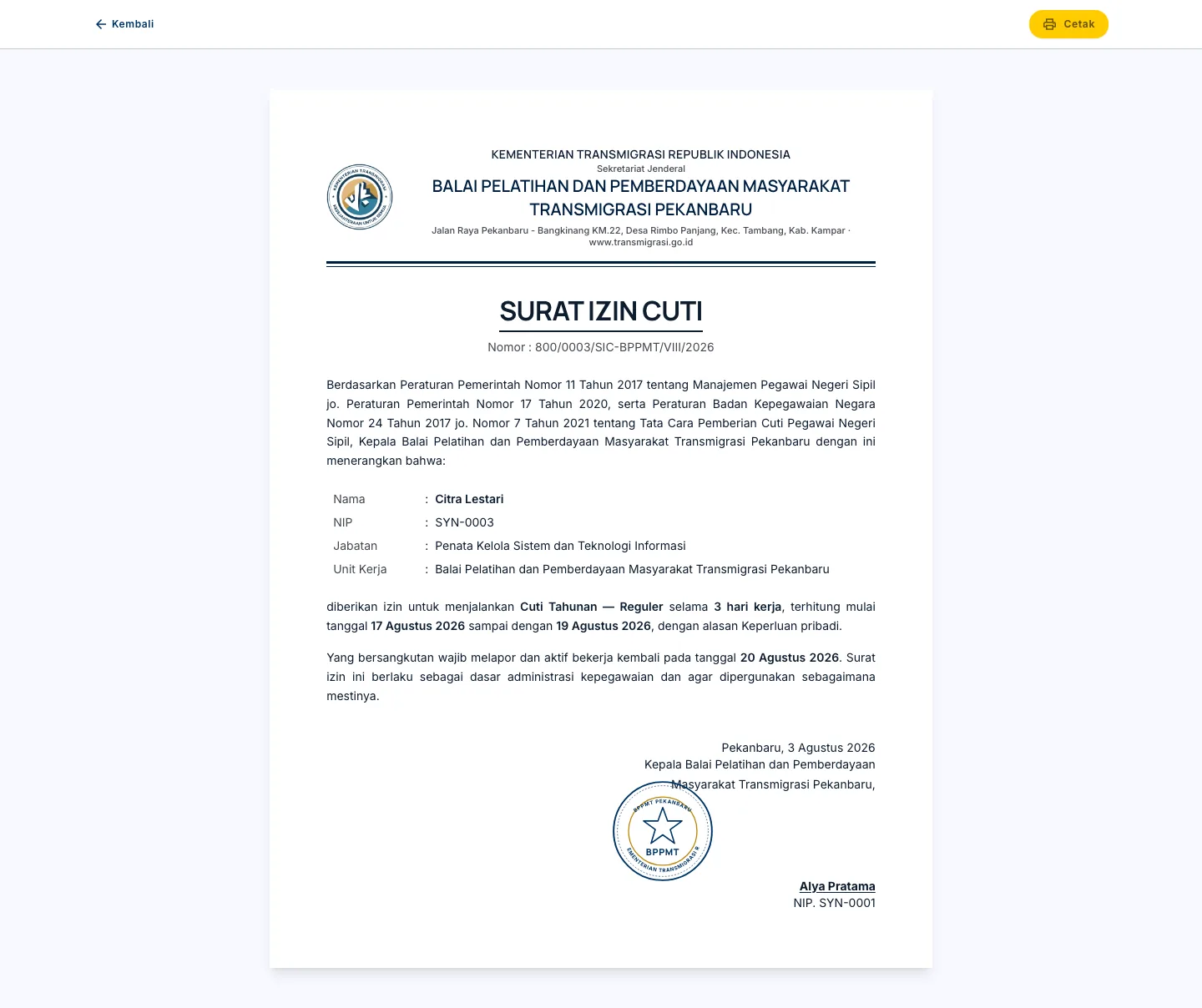
Once a request is approved, e-Cuti generates the official leave letter from the same record. That closes the loop between an internal decision and the document the employee needs to use outside the application.
All images in this case study come from the local application running against a disposable database with synthetic records. They show the real product flow without exposing employee data or importing the production database.
Working application
The workflow, in practice.